Assigning Key Pages
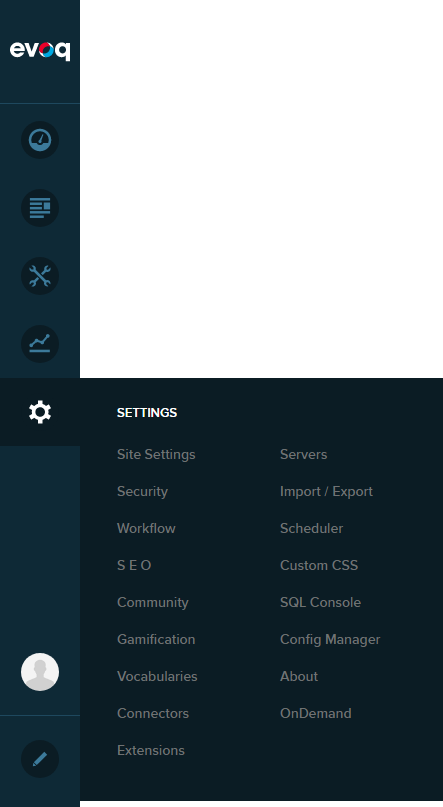
Go to Persona Bar > Settings > Site Settings.
Go to the Site Behavior tab, and then the Default Pages subtab.
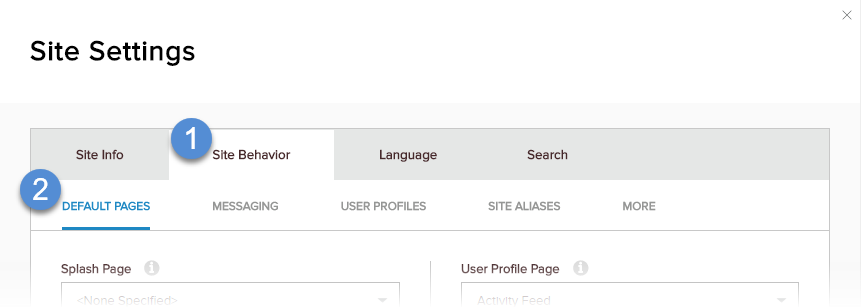
Choose an existing page in your site to assign to each key page setting.
 FieldDescription
Splash Page
The page displayed before the user sees the home page of the site. If None Specified, then the Home Page is displayed immediately.
Login Page
The page must include the Authentication module. Should be set to "Sign-in".
Registration Page
The page can include the Registration module. Should be set to "Create Account"
User Profile Page
The page can include the Profile Dashboard module. Shoudl be set to "My Profile"
Search Results Page
The page must include the Search Results module.
404 Error Page
The page displayed if the requested page is not found.
500 Error Page
The page displayed if the requested page generates an error.
Last updated